Local-first
Every message saves to your browser instantly as date-wise JSON in IndexedDB — one blob per day. It's fast, and it's yours even offline.
Murmur is a Slack-like vault for your messages, ideas and important links — stored locally on your device and autosaved to a Google Sheet you own. It's end-to-end encrypted, works offline, and runs on nobody's server but yours.
Ship the landing page 🪻
Idea: weekly digest email
github.com/tusharmali/murmur
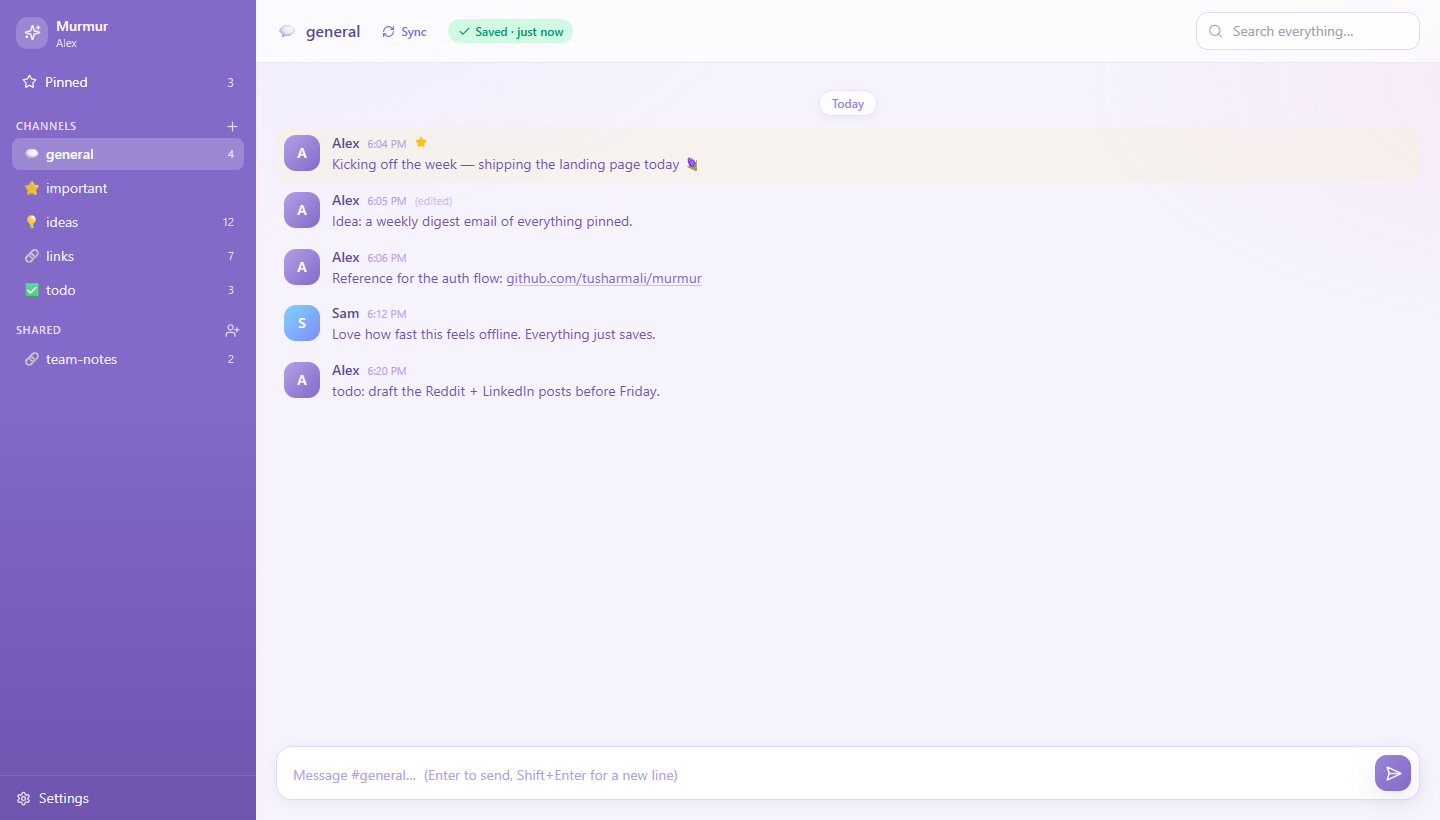
Most note apps ask you to trust their servers. Murmur asks you to trust math and your own Google account — nothing else.
Every message saves to your browser instantly as date-wise JSON in IndexedDB — one blob per day. It's fast, and it's yours even offline.
A key derived from your password (PBKDF2 → AES-GCM) never leaves your device. Your sheet connection is encrypted in the browser before it's ever stored.
Your notes live in a Google Sheet you own, via a tiny Apps Script you deploy. Your data never touches a server we run — because there isn't one.
Write anytime. Changes queue locally and sync to your Sheet when you're back online, with a clear status badge so you always know where things stand.
Share a channel with a single invite code. Members read and post against the owner's Sheet — with per-channel keys the master sheet can't read.
Full-text search across every day, a Pinned view for what matters, auto-linkified URLs, and one-click export of all your JSON. No lock-in.
A one-time setup, then it fades into the background. Full instructions ship in the repo's README.
Create a Google Sheet, paste in Murmur's Apps Script, and deploy it as a Web App. It becomes your private database — you set a secret token only you hold.
Pick an email and password. Murmur derives your encryption key locally and stores your Sheet's connection as ciphertext. Your password never leaves the device.
Jot messages, ideas and links across channels. Everything saves instantly on-device and syncs to your Sheet — on every browser you sign in from.
Murmur is built so that trust isn't required. Encryption happens on your device, and the only place your plaintext exists is your own screen and your own Google Sheet.
Your browser
PBKDF2 → AES-GCM · key stays here
Master script
auth only · stores ciphertext
Your Google Sheet
your messages · owned by you
Local copy: date-wise JSON in IndexedDB + an offline sync queue.
Yes. Murmur is open source under the Apache 2.0 license. You can use the hosted build, or clone the repo and run it yourself. There's no paid tier and no account upsell.
Two places you control: locally in your browser (IndexedDB) for instant, offline access, and in a Google Sheet you deploy and own. Nobody else runs a server that holds your notes.
Your encryption key is derived from your password and never stored, so a forgotten password can't be recovered — by design. You simply re-register and re-link your Sheet; your data in the Sheet is untouched.
The one-time setup involves pasting a script into Google Apps Script and deploying it — the README walks through every click. After that, it's just a chat box.
Yes. Any channel can be shared with an invite code. Members read and write against the owner's Sheet, and each shared channel has its own key that the login directory can't read.
Murmur is young and community-driven — the crypto and auth code is small, open, and documented so anyone can review it. Security reports are welcome via GitHub's private advisories.
Set it up once, then just write. Murmur stays out of your way — and off everyone else's servers.